
Let’s talk Smarts
Almost every TV made today is a Smart TV, even under $200! But are there different geniuses? In another sense no.
That is, most Smart TVs do the same thing. They have an operating system, which allows you to watch content from sources such as cable, (usually via HDMI), watch content wirelessly from your computers and phones, and of course, stream content via Wifi.
The main difference in OS – applications. Some companies have designed their own, the best of which have been found over the years Sony and LG. I own both. Samsung offers its own OS as well, called Tizen. I’ve run into some problems getting some of the new apps to work on Tizen, over the past few years, but apparently they’ve solved most of the problems. I have never had such a problem with Sony or LG.
It sounds like (from asking AI) that Samsung has improved compatibility since then. As an example from a ChatGPT ask about 2 years ago: “When the app was updated (from HBO Max to Max), some users said that the “new app” was no longer available on their Samsung TV model, or these updates broke the functionality.” (I experienced that, myself, when I used a “borrowed” Samsung from Best Buy, while I was waiting for my Hisense to arrive).
For many other well-known brands, many use Roku or Google OS. But there are other OSes, namely the Visio one, although I have never worked with them.
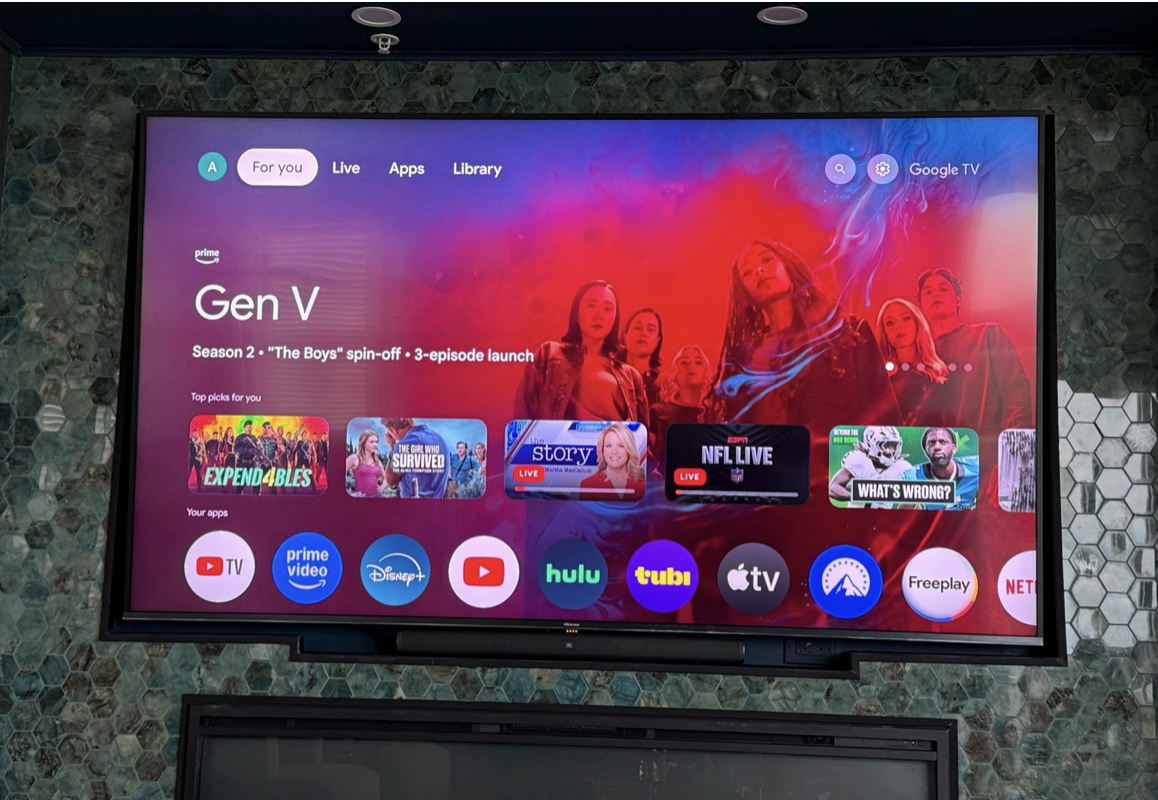
My Hisense TV uses Google OS. I also have an external Roku box that provides intelligence for my dumb, but very good Epson home theater projector.
Like I said, most brands use one or the other. Personally, since I use both almost every day, I think that Roku OS is better designed of the two against Google, but both are fully functional, and, regardless of both, personally, I prefer LG.
Another thing to consider. Not all Smart TVs support Apple TV internally. If they don’t you can add an Apple TV box, very easily, if you want to push content from your Apple computers, phones or tablets. As far as I know, all Smart TVs are able to stream from the Android operating system, and possibly Windows!
Zanele said.
For the best Experience – Do you need a Soundbar?
Is it?
Most people don’t “need” a soundbar, but that said, having one will improve your listening experience, and the overall experience, especially if you like watching movies, and even more so, concerts (i.e. recently Farm Aid 2025, shows with live music (American Idol, the Voice, etc.)
First, if you think you have good hearing, and you are not into listening to concerts and music on your TV, you can live well without a sound bar.
Remember, the smaller the TV, the smaller the speakers, and the lower the sound quality.

However, by the time you get to the 65” and larger TVs, the sound is decent, although it lacks any mid-range or deep bass (and no “high” bass).
This is where the soundbar comes in. The better ones (figure above $200), will sound better, (better speakers overall, and have deeper bass. What I use – (an example, but not a recommendation, as mine is unusual), costs about $500, is a JBL 5.1 sound bar. Most expensive soundbars come with subwoofers. I like that mine. Also, if sound isn’t that important to you, that’s fine. I still can’t talk to my wife about the 77″ soundstage that now lives in her “living room.”
Soundbars with subwoofers are usually more expensive than basic ones that sit under your TV. That’s because in addition to the sound bar that is usually placed under the TV, there is a separate sub woofer, wireless, that can be placed anywhere in the room. For example, in my house it is hidden behind my bed, that is, behind my chair. Why there? Outside of the site, and because one does not know where the bass sound is coming from).
When it comes to soundbar quality, I would recommend reading an article or two comparing models, as with anything else, all soundbars are not created equal.
An interesting note: My JBL soundbar is unusual in that it also has removable wireless speakers that can be placed behind you for surround sound. And I should mention that most expensive soundbars come with rear speakers for surround sound, as well as small subwoofers.

My sound bar is relatively good, and sounds good even for listening to serious music. But, $500+ is more than you need to spend to get a big improvement in sound quality on any TV, even a big TV like my 100” – JBL sounds much better.
I’m so into music, I’d be much happier without a soundbar. I have a great sound system for my little projector-based home theater, too, with much better sound.
Bottom Line:
If picture quality is important to you, including watching movies, a lot of TV with dark scenes, etc. OLED is the way to go, if your budget allows. Now if you’re only into sports, you’ll probably be as happy as any of the Q-type low-led TVs, because they’re brighter. And if picture quality (and sound quality isn’t something for you – you might not know until you try the high end – then the most affordable basic LED TVs will work for you at a low cost.
When it comes to Smarts – some sets have better operating systems than others, but almost any with LG, Sony, Google, or Roku Operating systems will work for you. Samsung will too, if they solve their Tizen problems.
If you love music, and you watch music on TV – get yourself a sound bar. If you want to watch Jurassic Park, and get a theater like experience, get a really big TV and a sound bar with a subwoofer. message:
And enjoy!
I hope you have read enough to make an informed decision when buying your next TV. Also, I hope I didn’t bore you with too much technical talk. Some people want a recommendation on what to buy, but I try to write so that you can learn enough to make smart decisions for yourself, which types of TVs will best meet your specific needs based on what’s important.
“Thank you for listening” – art