
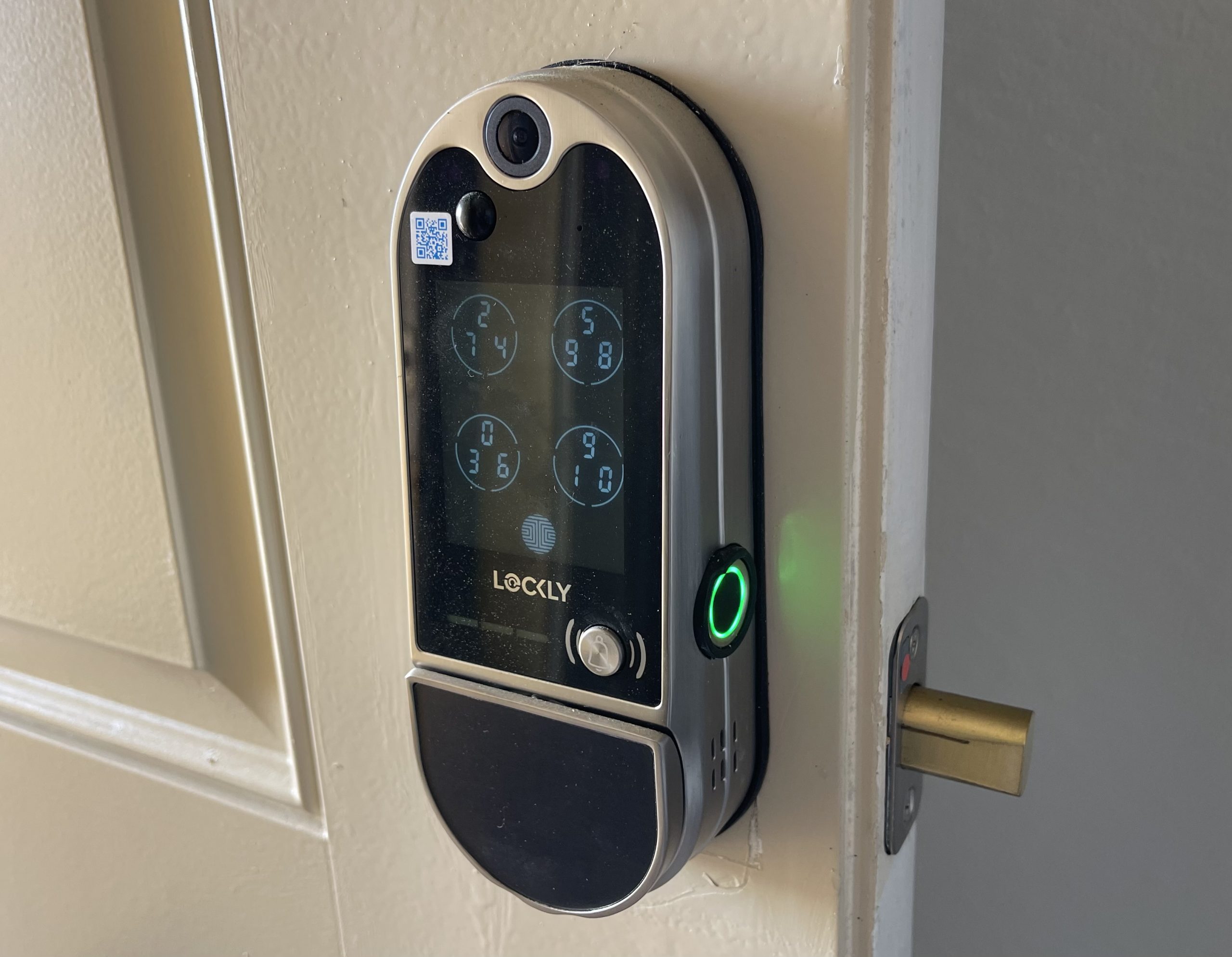
Before I heard about Lockly, we had reviewed many door locks, and even had a video of a door bell being shot a few years ago. A neighbor has installed one of the Lockly door locks. I was impressed with its fingerprint scanning capability. We had never updated the lock with this feature. I don’t know if Lockly was the first, as today few big name brands have a model either two with fingerprints. But, I believe it was Lockly that pushed that capability to us end users, as a better solution.
like the idea of combining everything into one product. Of course, there may be a feature or two that you won’t find in a combination unit like this Lockly model, which may appear in individual video doorbells or door locks, but, not having an “all” feature, is common in multi-functional devices.
This Video DoorBell Review – Background: I just changed a very small I changed my front door lock every year or two, to do my next update. This time so I can review the Lockly Vision Elite – their flagship device. It was about time. My last lock was a Kwikset Obsidian, which only had a keypad to open it – no spare key, etc.
My problem is with that old lock, “old technology”. I switched almost two years ago to the Eero 6 Pro Wi-Fi router system – reviewed here, they create a mesh Wi-Fi between 3 Eeros, covering large areas.
Like all smart locks, up until a few years ago, my Kwikset relied on Z-wave technology, which was the dominant communications solution for security. But increasingly locks and other security devices are going Wi-Fi and or Bluetooth. In other words, without Z-Wave router compatibility (think SmartThings – Samsung), my old Smart Lock was not smart at all. Basically it is reduced to a keypad key where you can have multiple codes for different people. It was accompanied by a Ring Doorbell. This Lockly easily replaced both!

This Key Lock is certainly the closest thing to a solution to everything since the really expensive smart door, which Nikki wrote about a few weeks ago (here). That door is worth thousands and thousands of dollars!
With a list price of $495 – the Lockly Vision Elite feels pricey right away. That is, until you understand everything it can do. After all, it is a smart key with doorbell, video camera, night vision, four ways to lock and unlock:
- Fingerprints
- The keypad
- Key (old school)
- Wi-Fi
- 9 volt battery connection at the bottom (to power the keypad if the battery is dead)
That is just the beginning.
Lockly Vision Elite Video Doorbell Capabilities
- Video camera with 1080p resolution
- Local Storage using 32G TF memory card (the card is not included but it costs less than $10)
- Door bell button
- The DoorBell is inside the lock facing the inside of the home
- Night Vision
In the box:
Lockly comes with lots of documentation, an installation template, stickers on various parts with quick installation steps, and many pieces of its own puzzle, but overall it’s easy to install.

Before we started, we laid everything out, made sure all the pieces were there (they were)! In addition to the subtitles, many stickers with information about various pieces.

