Choosing to be a stay-at-home mom and reducing the family income to one income is a big change. A few things I needed to learn immediately were:
- What was the income
- How much were our debts to expect each month
- The cost of raising our newborn twins, diapers, formula, clothes etc
- Be very careful with the grocery budget
My husband Scott is an accountant (he runs his own virtual accounting firm) and he helped me understand the changes that go to one currency. And the biggest lesson I learned was budgeting. Every 6 months we sit down and work through our family budget to help ensure we don’t overspend and that we save money to put toward a big ticket item like a vacation or a new car. When I started to compare our budget with the actual expenses I realized that I was spending a lot of money each month buying magazines and renting DVDs, it was good to see, I didn’t stop myself from buying them, but instead I reduced them.
I really recommend that you find time to sit down with your partner, prepare your budget and work on a plan for the future together. It really helps to relieve the stress of only having one income if you know exactly how much to spend and if you can’t splurge on clothes sales! Read more about my budgeting tips.
Combine a budget with Bill Planner and you’re on your way to organized finances!
We’ve made a very easy to use Home Budget and I’m so excited to have it in my store.

All you need is to use this budget
- This budget is an excel spreadsheet that you enter all your data into, it comes with easy to understand instructions.
- It is very easy to use by simply entering the numbers. All formulas and graphs are arranged in it.
- You can make each sheet your own by adding your own descriptions.
Basic Budget
If you don’t have a lot of time you can use the ‘basic budget’ sheet to create a quick and easy budget. With the option to select the frequency with which you receive income or pay expenses and the amount for that period in the amount column. This sheet also includes a graph that will automatically show you a monthly summary and a yearly summary of your income and expenses.

Monthly Budget
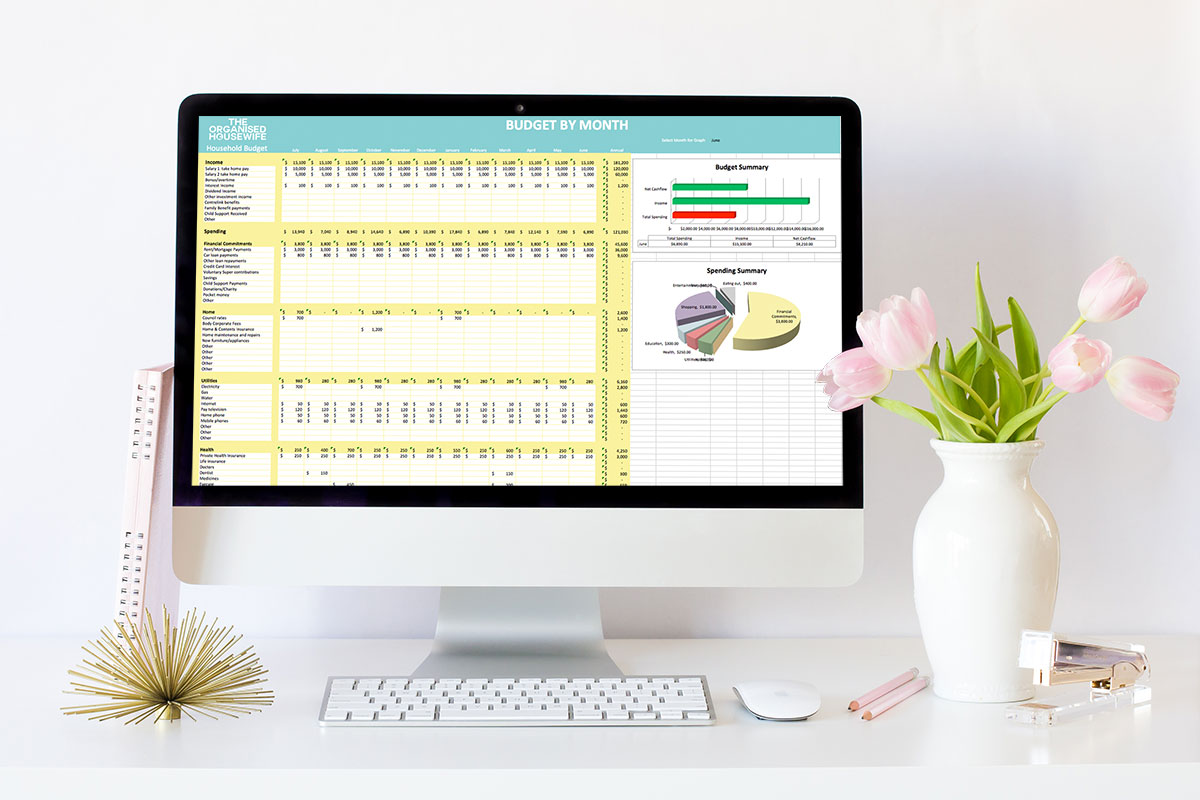
This ‘budget by month’ is very easy to use, but it helps you create a more detailed budget for 12 months as there are probably months when some expenses are higher than others. For example, I find that in the winter months our electricity bill is a bit higher as we use the heater more often. Add the amounts you expect to earn or spend during the relevant month. The graph will then show you a summary of your budget and a summary of expenses for a particular month or for the whole year.
The amounts entered on this sheet are automatically entered into the ‘Budget vs. Actual’ tab which will then easily allow you to compare your actual income and expenses with your original budget.

Actual Monthly
This is where you type in all of your actual income and expenses each month. It’s good to keep track of even the smallest things, eg how much you spend on coffee each week, as the little things always add up. The graph will then show you the actual summary and the summary of the expenses for a particular month or for the entire year.

Budget Compared to actual
All the data on this sheet is automatically added from the previous data you added from the monthly budget and Monthly Actuals tabs. Use this sheet to see how your income and expenses track against your budget for a particular month or year. The graphs will show you whether you have savings or overspending and where these are.

